Download Zip Here
From this one pink bead I had made, I played around with adjusting the colours and the results are all in the picture below.
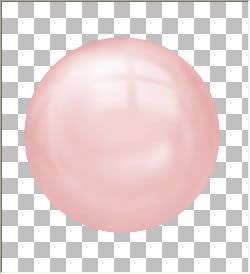
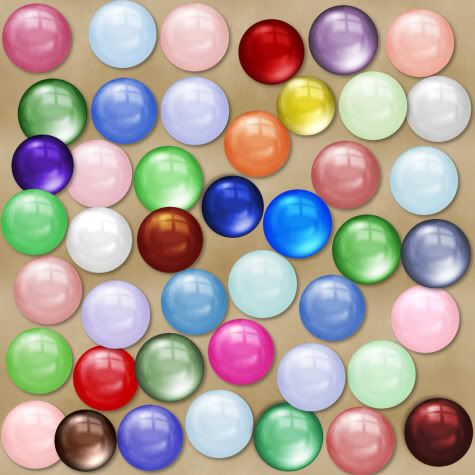
To get a darker version of the pink, in your layer palette to the right, right click on your bead layer and from the flyout choose "duplicate". You will now have a copy of your new bead layer above your original layer.
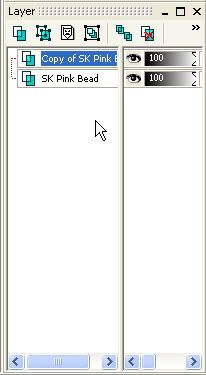
Make sure your "Copy of SK Pink Bead" is highlighted blue, and change the "Blend Mode" to "Multiply". If you can't see where your blend mode is, just move the vertical divider line over to the left.
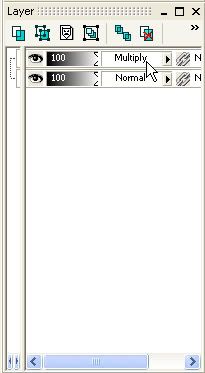
Your bead should be a darker version of the original, and look like the picture below. You can also try setting the blend mode to Screen, Overlay and Soft Light. Depending on the colour of your bead, it gives you different looks.
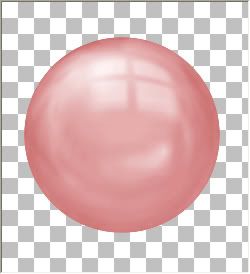
Now, just right click on one of your layers and from the flyout choose "Merge" then "Merge Visible".
After you merge your layers, you can also repeat the steps above, using different blend modes.
Continuing on working with this same bead we just changed, right click your new bead layer in your palette, and choose "New Adjustment Layer", then from the flyout choose "Hue/Saturation/Lightness". Put a checkmark in the "Colorize Box", and move the saturation slider up to about 50%.
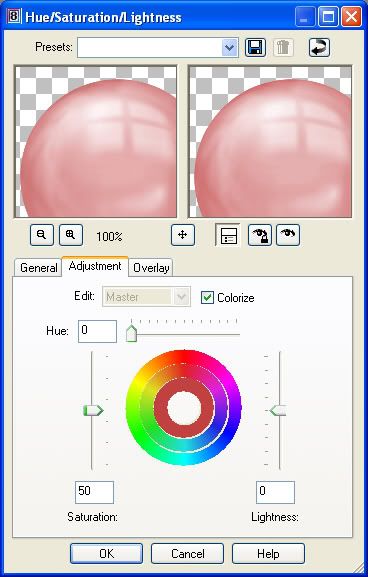
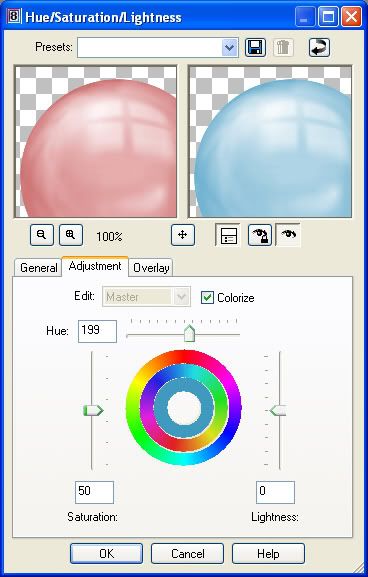
Make sure your bead is visable in the preview window, and move the "Hue" slider bar slightly to the right. You will see your embelishment change from it's original to a new colour. If you'd like to see what it will actually look like on your embelishment layer in your workspace, click the square button with the eye icon that's under your preview window. When you are satisfied with your chosen colour, click ok and merge the two layers.
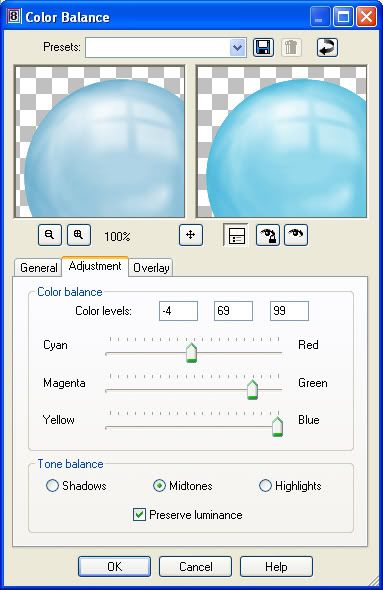
You can also change the shade of your bead by right clicking your bead layer in the layer palette, go up to "New Adjustment Layer" then to "Colour Balance", and just start moving the slider bars till you see something you like.
Head on over to my blog http://scrap-stuff-with-psp.blogspot.com/ to get all of these glassy beads and other fun stuff.
Thank you so much for this tutorial, it was really great!
ReplyDelete20150630 junda
ReplyDeleteburberry outlet
tory burch outlet online
ray-ban sunglasse
pandora jewelry sale
coach outlet online
louis vuitton
hollister kids
true religion sale
oakley sunglasses sale
michael kors bags
oakley sunglasses
ray ban sunglasses
michael kors handbags
tory burch handbags
cheap ray ban sunglasses
toms outlet store
oakley outlet
cheap soccer jerseys
louboutin
toms shoes for women
ray bans
coach factory outlet
cheap oakley sunglasses
kate spade handbags
coach outlet
michael kors outlet
prada outlet
toms shoes sale
kate spade bags
true religion jeans outlet
nike blazer pas cher
michael kors
replica watches rolex
michael kors handbags
football jerseys
151212meiqing
ReplyDeletecanada goose jackets
louis vuitton outlet
christian louboutin outlet
ugg boots
north face jackets
uggs on sale
uggs for sale
hollister uk
michael kors uk
timberland boots
ugg outlet
louis vuitton handbags
burberry outlet
oakley sunglasses
nike air max
michael kors outlet
polo ralph lauren
ugg outlet
true religion jeans
cheap jordans
marc jacobs
ugg australia
hollister kids
louis vuitton
christian louboutin outlet
nike air max
louis vuitton handbags
gucci handbags
coach outlet store online
oakley sunglasses
hollister clothing
ray ban outlet
michael kors outlet online
canada goose jackets
prada outlet
ray ban sunglasses outlet
jordan retro
ray-ban sunglasses
prada uk
louis vuitton outlet stores
ReplyDeletehttp://www.prokr.net/2016/09/villas-cleaning-companies-8.html
http://www.prokr.net/2016/09/villas-cleaning-companies-7.html
http://www.prokr.net/2016/09/villas-cleaning-companies-6.html
http://www.prokr.net/2016/09/villas-cleaning-companies-5.html